Chrome extension · GPT-4o vision · BYOK
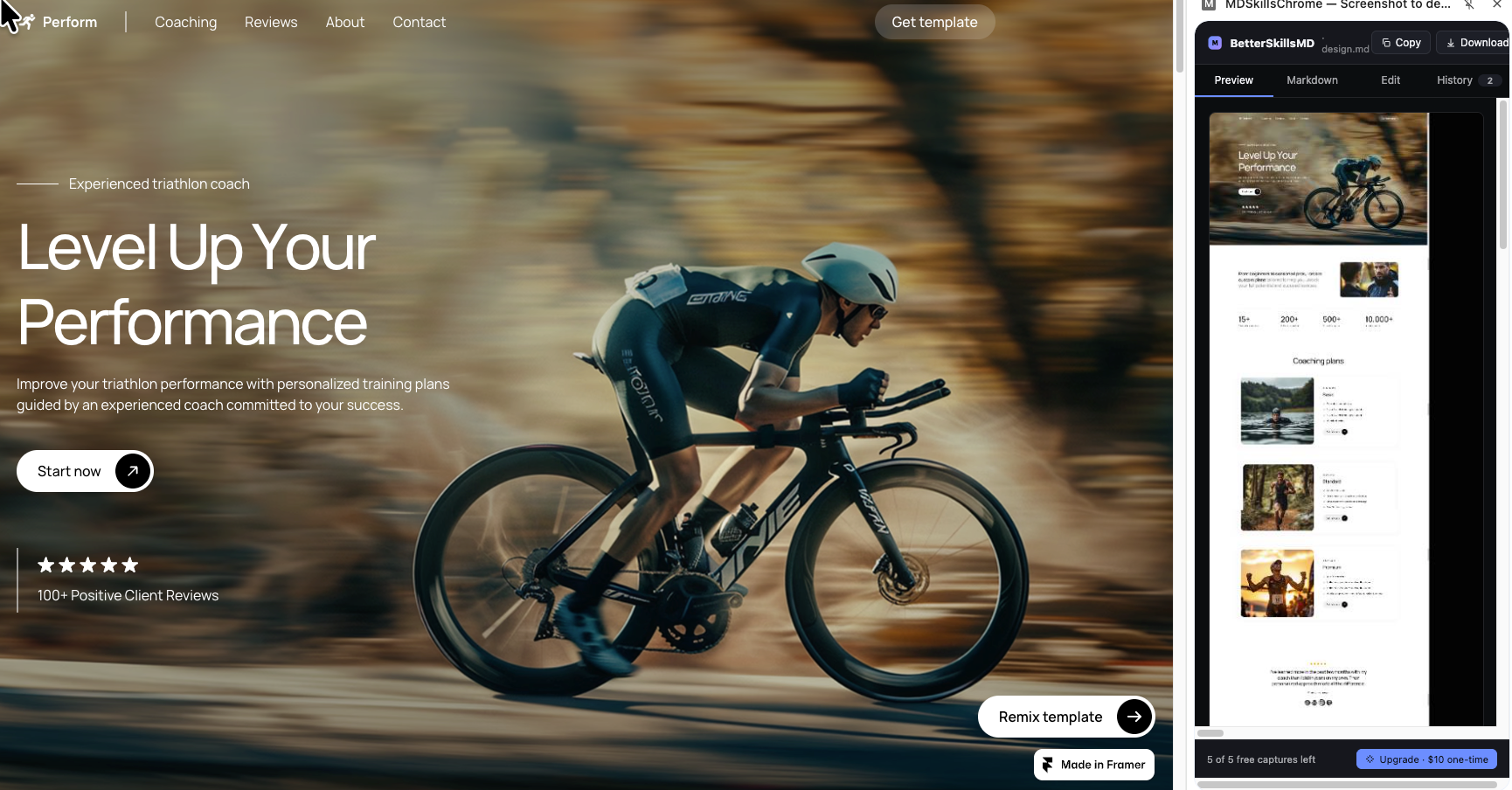
BetterSkillsMD reads any web page and writes a paste-ready
design.md — colors, typography, layout, components —
ready to drop into Claude, ChatGPT, or Cursor and ship the build.
You see a site you'd like to build something like — but explaining the feel of it in plain English loses half the detail.
You spend 20 minutes typing a brief from memory. Your LLM still misses the hex codes, the spacing rhythm, the typography choices.
You iterate five times: "more rounded," "bigger headline," "slightly off-white background." Each round burns time and tokens.
One screenshot. Ten seconds. A complete spec.
How it works
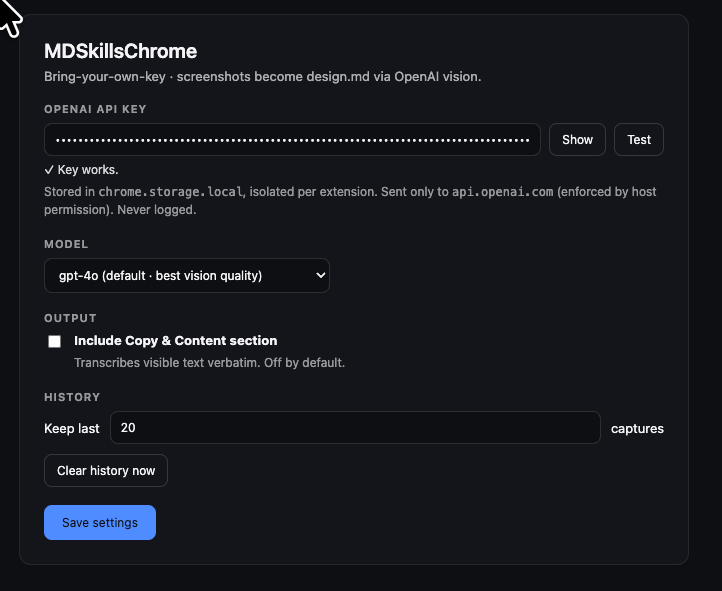
Drop your sk-… key into the options page, click
Test, you're done. The key is stored only in
chrome.storage.local, isolated to this extension,
and is never sent anywhere except api.openai.com —
that's enforced by the manifest, not a promise.
Click the BetterSkillsMD icon, pick a capture mode, watch it stream. Visible viewport, full page (auto-scrolls and stitches), drag-a-region, or click-an-element — whichever is the right grain for what you're cloning.
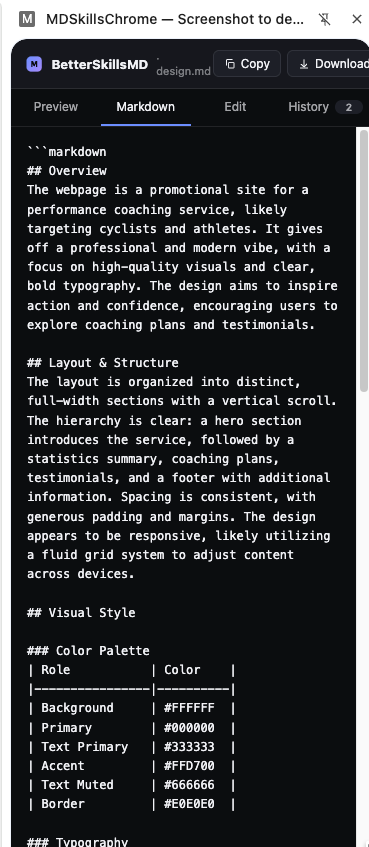
Copy or download design.md. Paste into Claude,
ChatGPT, Cursor, v0, Lovable — any LLM you build with. The
output covers layout, hex-coded color palette, typography
rules, component inventory, and (optionally) verbatim copy.
Capture exactly what you need
Capture exactly what's on screen right now.
Auto-scrolls and stitches the entire page, top to bottom.
Pick out a single section — just the hero, just the card.
Hover-highlight any DOM element and click to capture exactly its bounding box.
Honest pricing
You only pay when you've used your 5 free captures and want to keep going.
Stored in chrome.storage.local, sent only to api.openai.com.
We never see your captures. History lives on your machine.
The extension talks to OpenAI and ExtensionPay. That's it.
No. Screenshots stay on your machine. The image is sent to OpenAI for analysis only — neither we nor any third party persist it. Your captures live in chrome.storage.local, which is per-extension, isolated, and removed if you uninstall.
Two reasons. One: we don't host an AI service or pay your OpenAI bill, so you stay in control of cost. Two: your captures travel directly between you and OpenAI — there's no middleman who could log, store, or train on your screenshots. The manifest enforces that api.openai.com is the only outbound destination for the key.
Yes. Within 7 days of purchase, no questions asked. Reach out via the support link below.
Almost any. Some sites with sticky headers pinned via CSS transforms can produce duplicated bars in stitched full-page captures — viewport / region / element modes always work. We're improving the stitcher continuously.
Because most people use this once a week, not every day. Subscriptions for tools like this are gross. Pay once, keep using it.
OpenAI's gpt-4o by default for best vision fidelity, with gpt-4o-mini available in options for cheaper / faster captures. Toggle in settings any time.
Free for 5 captures. $10 once after that. No subscription.
Add to ChromeChrome Web Store link coming soon — install from source in the meantime.